Upgrades
If the operative finds an issue with the vehicle that can't be done as a Live Upgrade and will cost significantly more you will need to go through the upgrade process.
To do this:
- Search for the Vehicle
- Transition the vehicle to Awaiting Upgrade
- This will automatically open the upgrade form. Please note if you are not permitted to add in the upgrade, please notify a controller and they can look at the 'Vehicles Awaiting Upgrade' on the sidebar
 The 'Awaiting Upgrade' form shows all the vehicle details
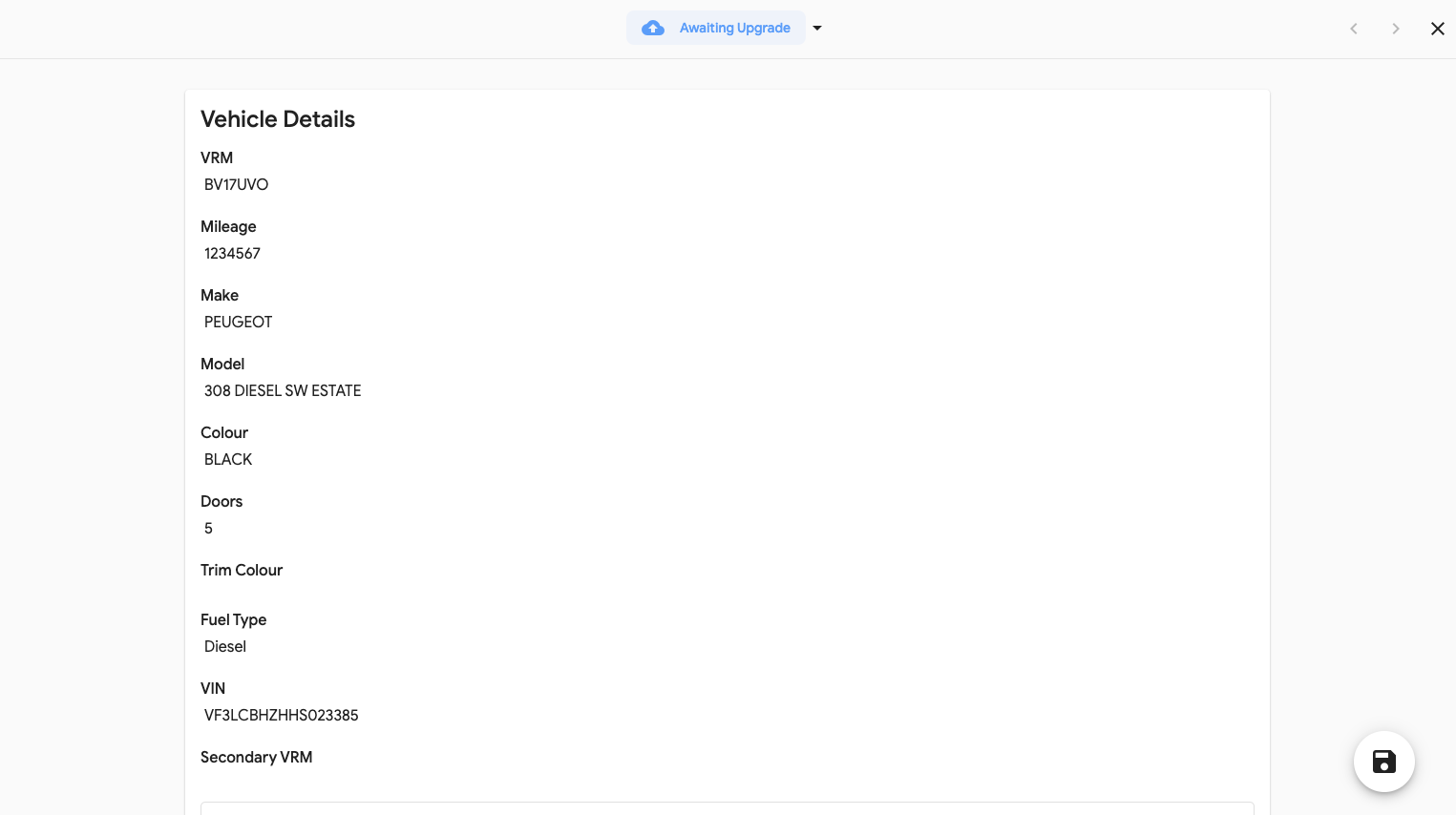
- Including all the lines already added to that vehicle and if they are from Upgrade
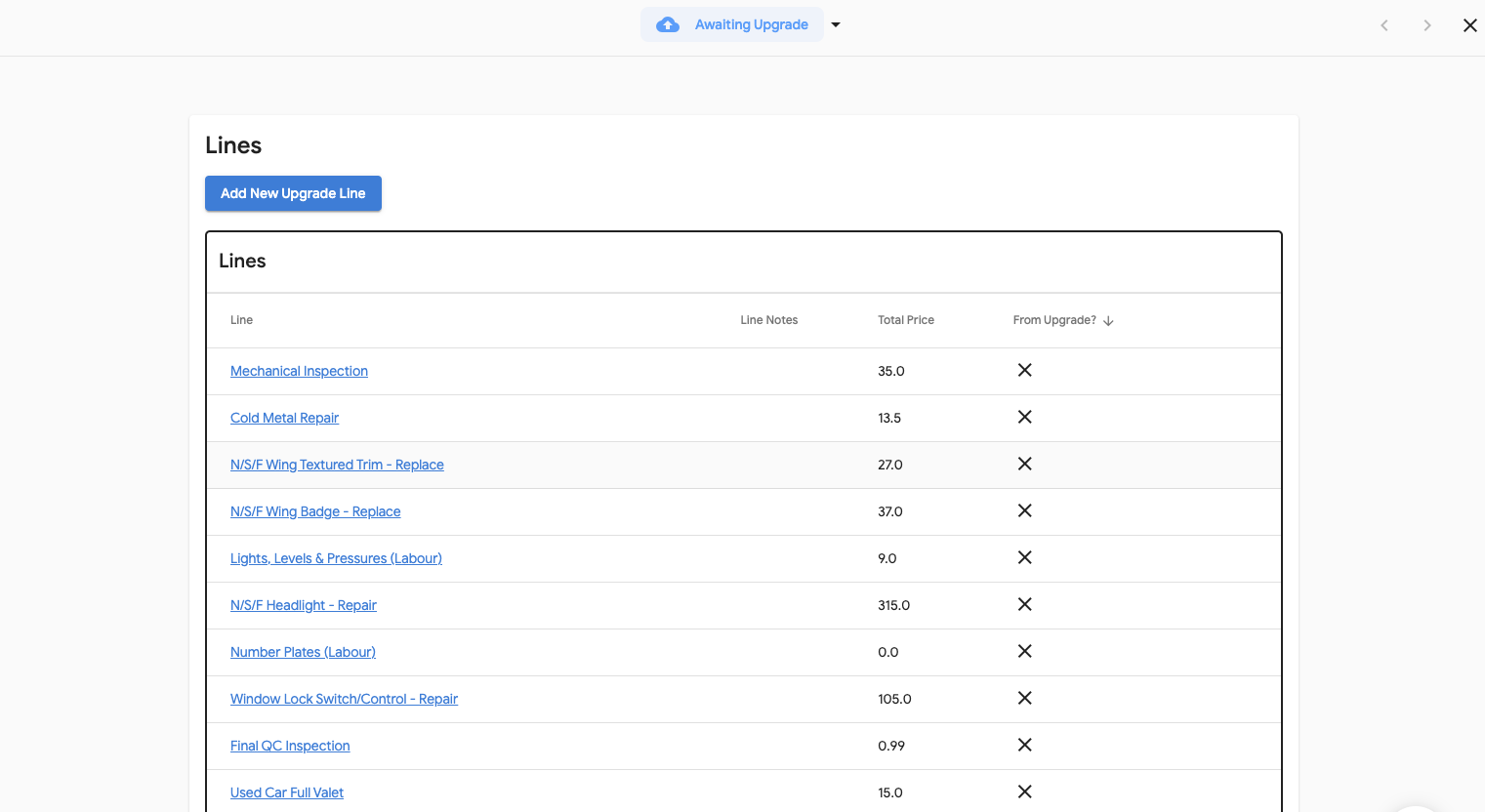
To add a new line:
- Select 'Add New Upgrade Line"
- Select + next to 'Pick a Product'
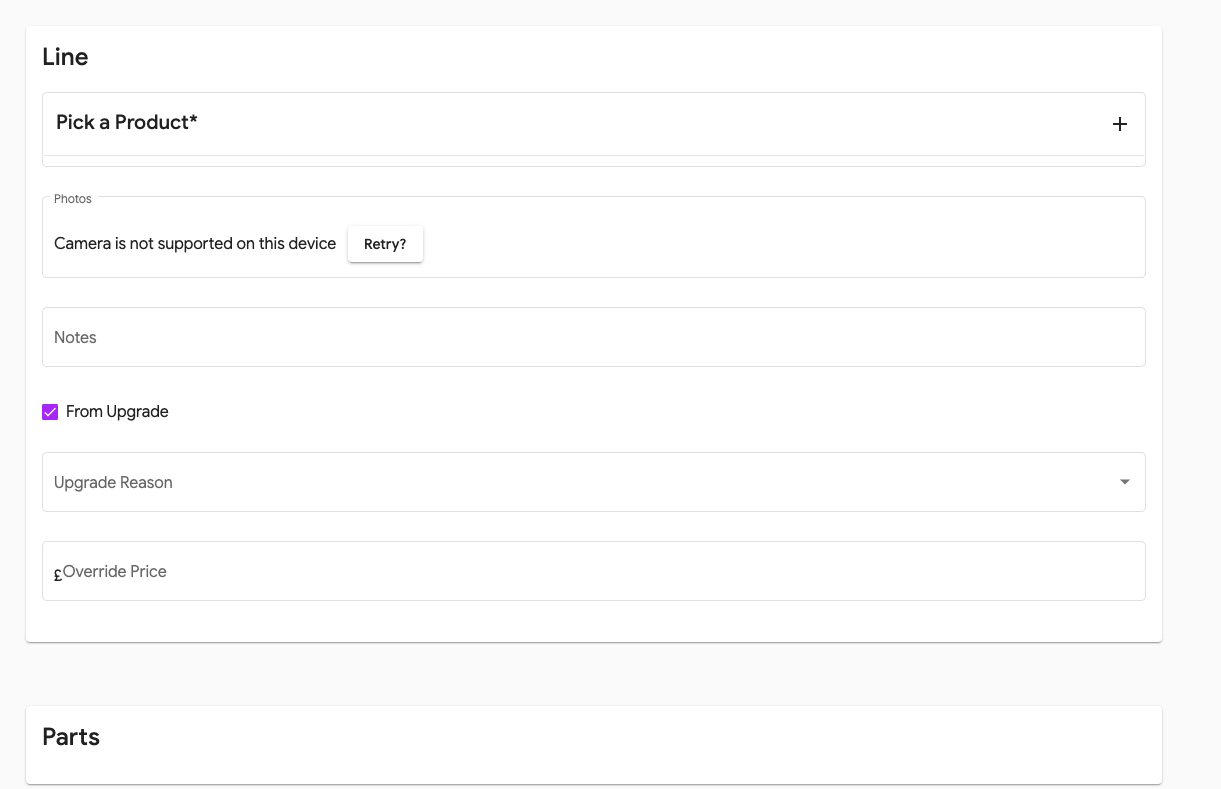
- Search and select the new line
- Fill in all the associated information required
- Select 'Save' to add this.
- When you have added all the new lines move the status of the Vehicle to Inspection Complete and this will move the vehicle back through the system for re-pricing.
