Completing Work
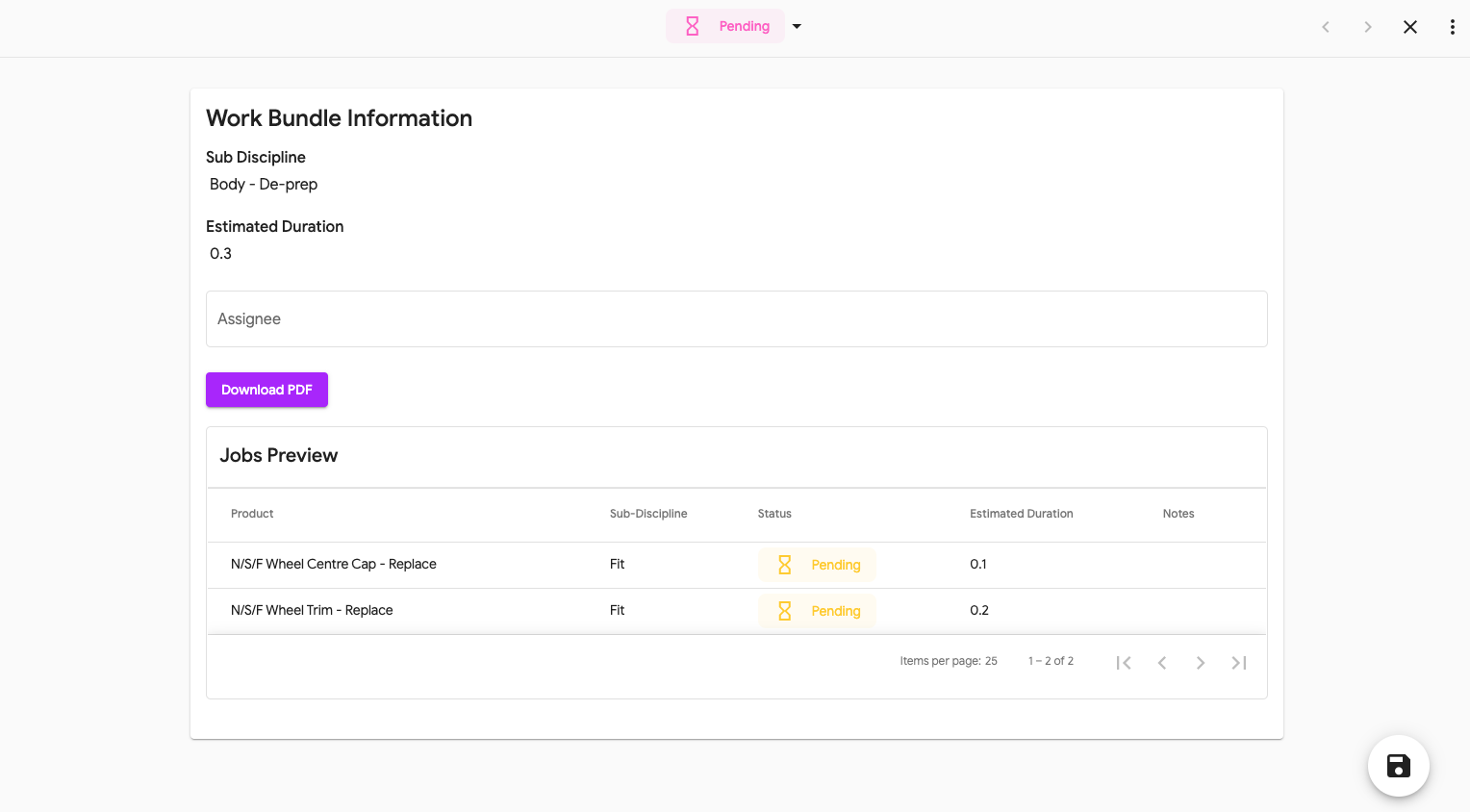
When an Operative has completed their section of work you now need to complete this on the work bundle.
How to Complete Work
- Go to 'Vehicles in Production' and either search for the vehicle or operative.
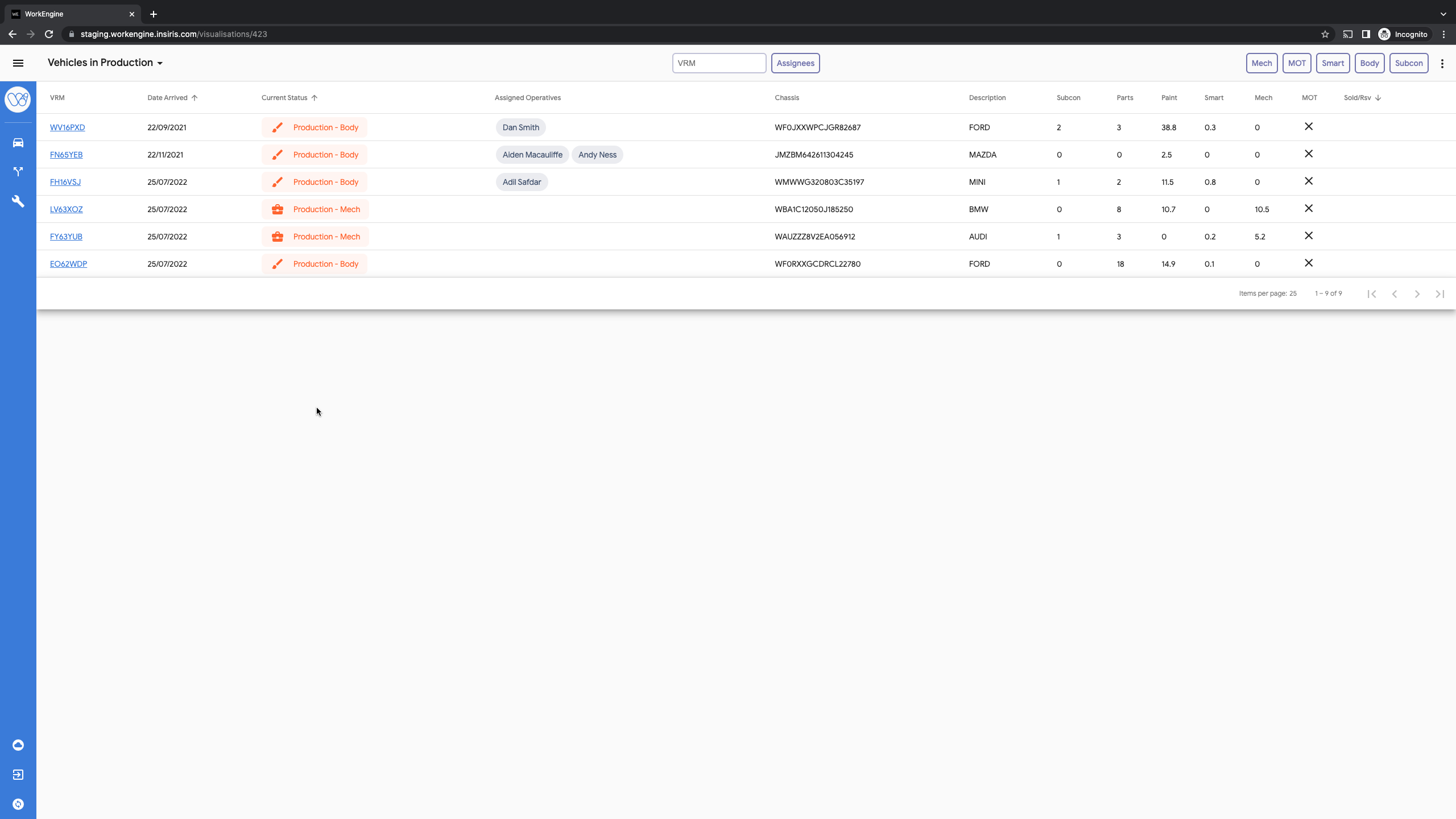
- Select the VRM, highlighted in blue
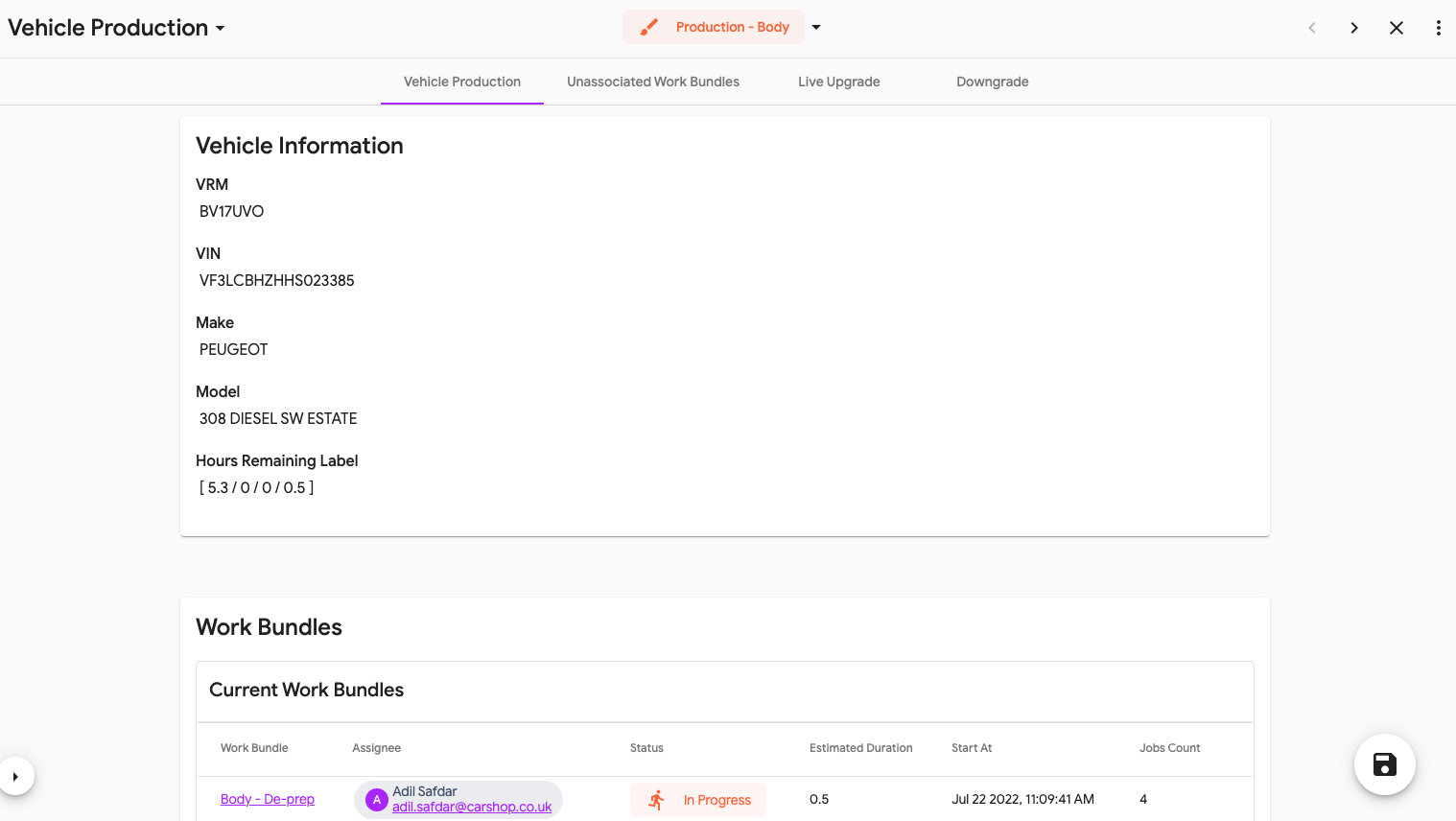
- Select the work bundle that is 'In Progress'
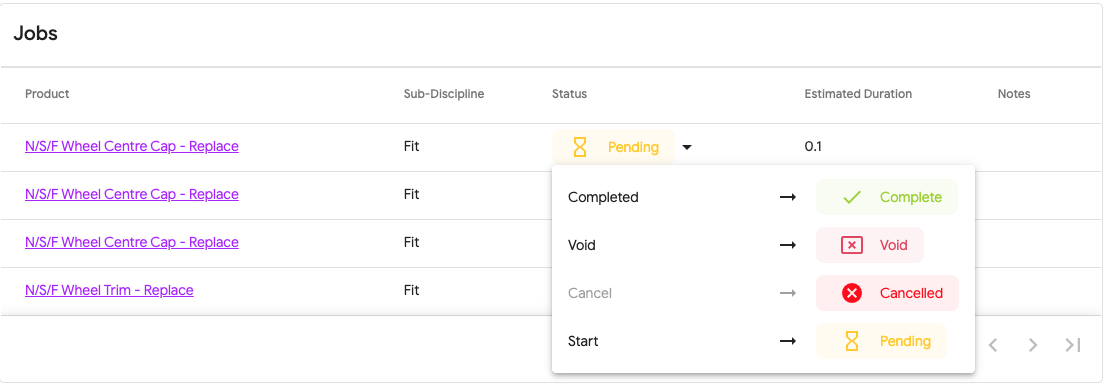
- Using the arrow next to 'Pending' select 'Complete'
Once all the jobs have been moved to 'Complete' close the windows and the work bundle will automatically complete and move the vehicle back to 'Ready for Production' ready to be moved to the next discipline.
Once all work has been completed the vehicle will automatically move to 'Ready for First QC' and will no longer be visible to the controllers.
Sign Off
When all the jobs on the work bundle have been completed, you will be asked to sign off that all the work is complete in the current discipline:
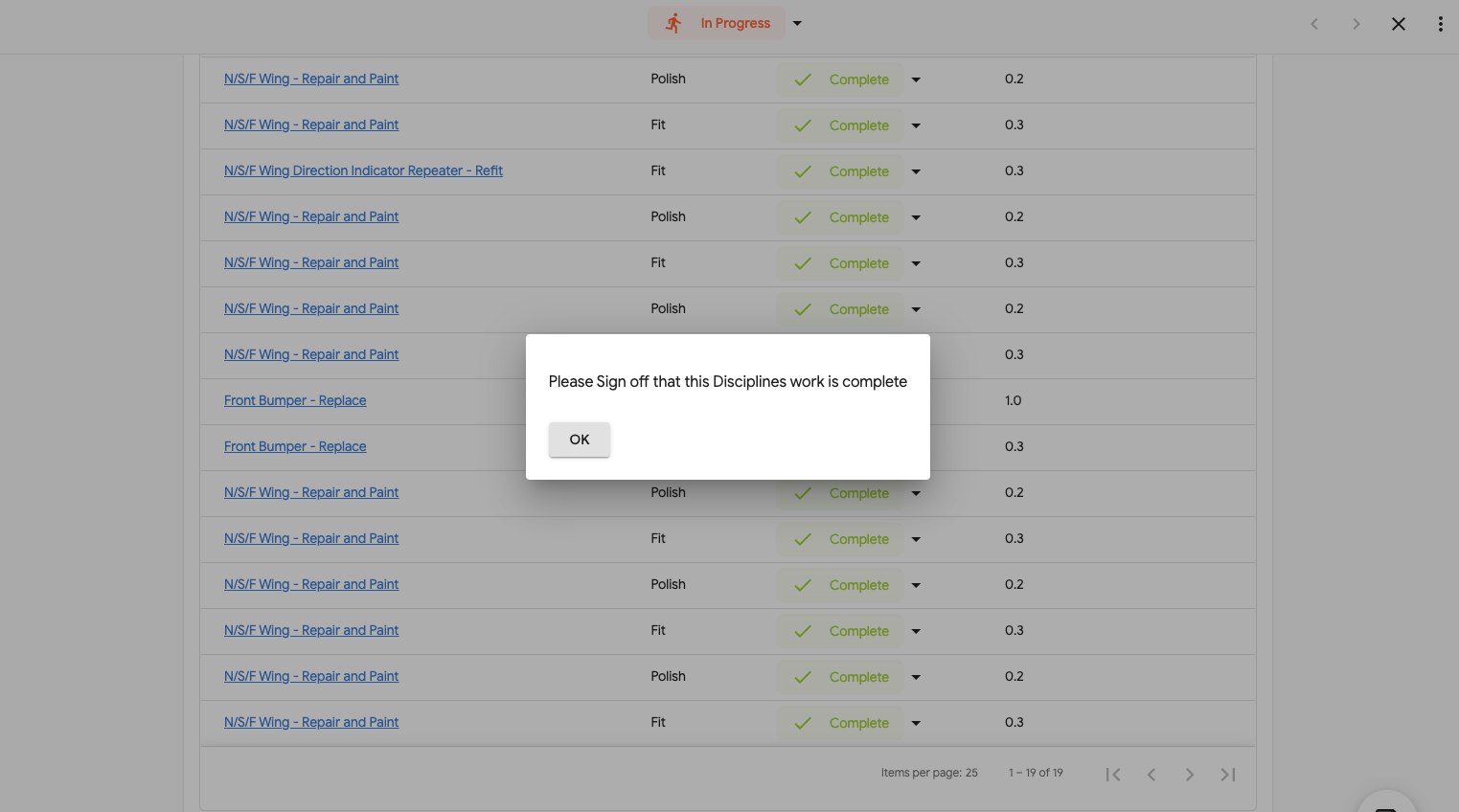
Select OK and a Sign off section will be shown (you may need to scroll down)
 Tick the checkbox and the form will automatically close.
Part Completion
If only part of the work bundle has been completed and someone new needs to finish the work.
- Complete the work that has been finished
- Move the 'In Progress' status at the top to 'Complete'
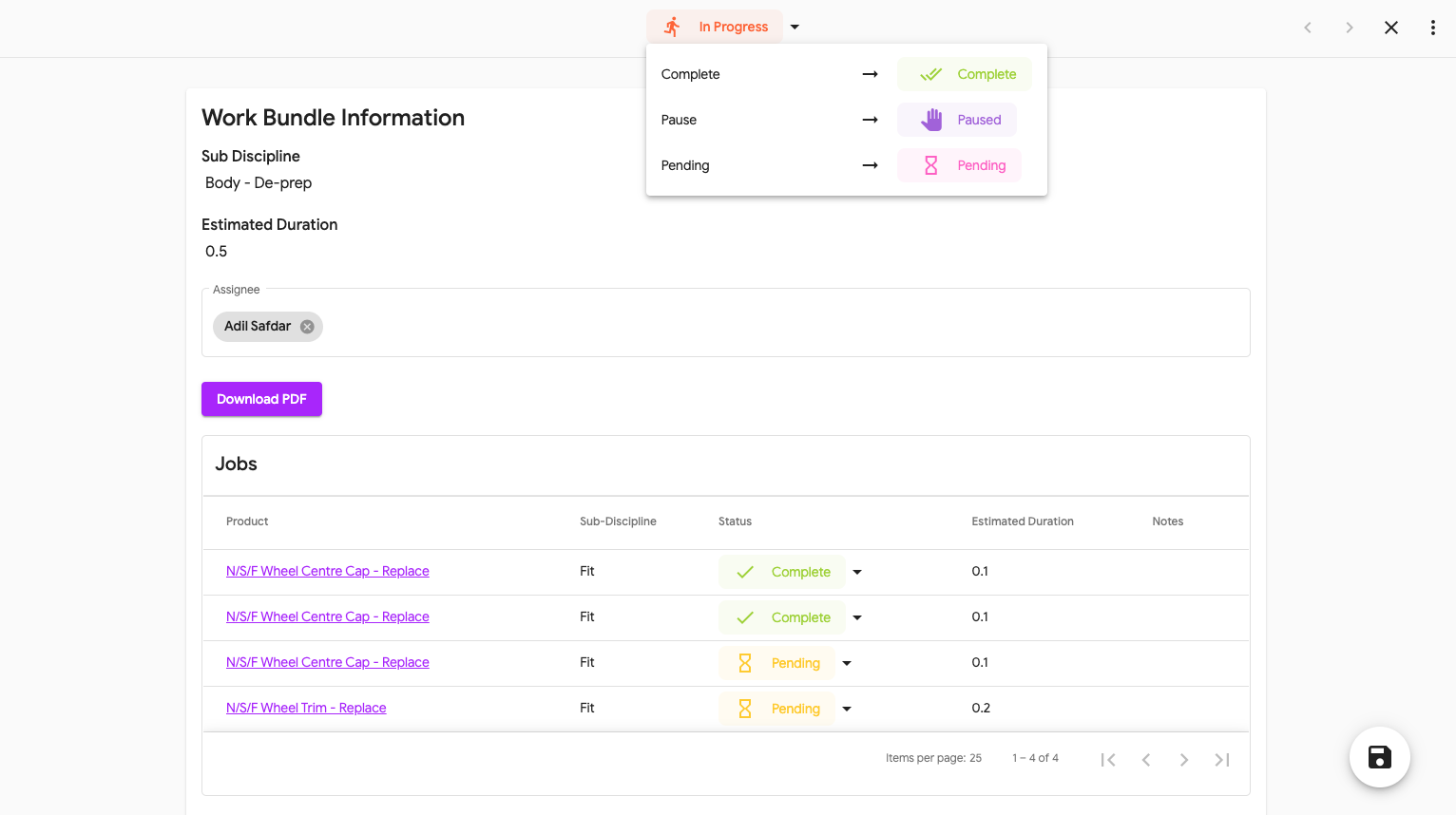
- A new work bundle will then be created with the outstanding work
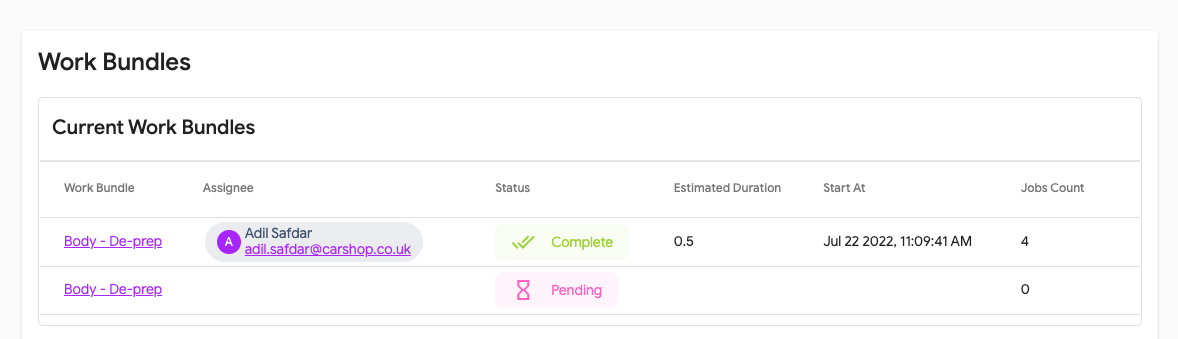
- You can now assign this as before.