Voiding Work
If you find that work has been done however it's not to the standard required you can void the job. This will keep all the time and details of the previous job but this will be re-created so that you can reallocate and have the work done again.
To do this:
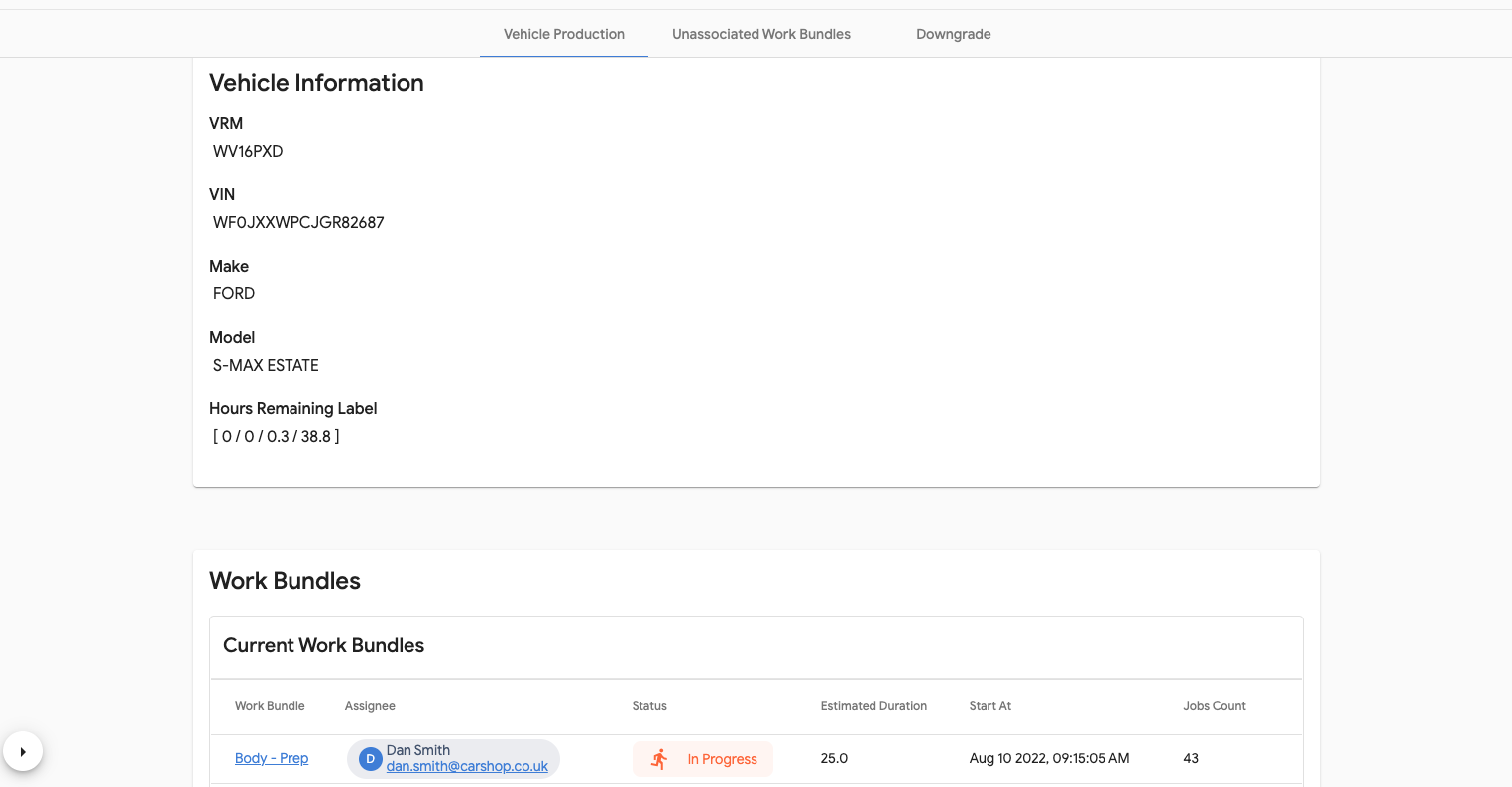
- In 'Vehicles in Production' search for the vehicle using the VRM
- Open the vehicle that is showing as 'In Progress'.
- Select the work bundle
- Select the arrow next to 'Pending' or 'Complete' and select 'Void'
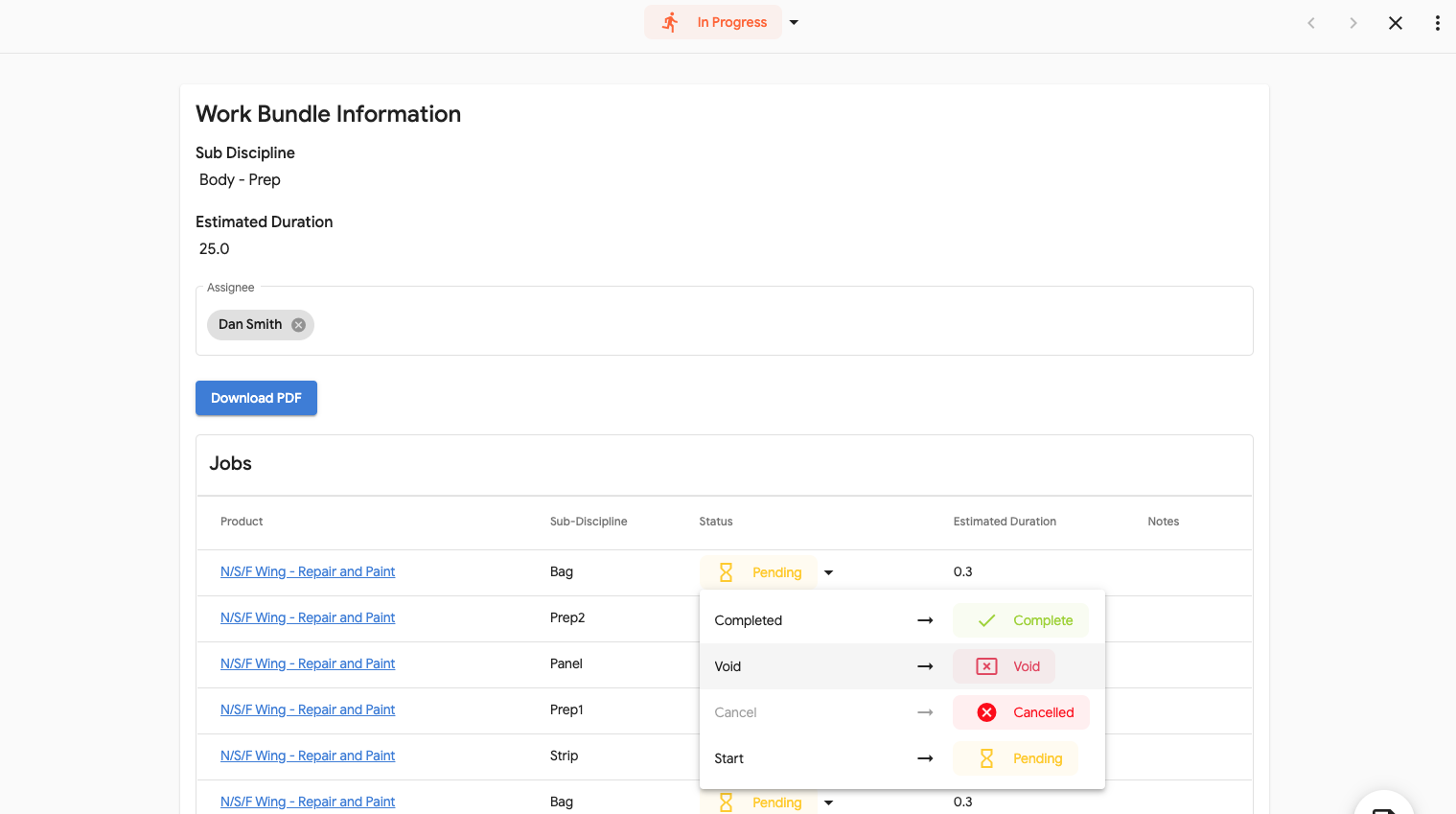
- Close the form and a new work bundle will be created with the duplicate work so that this can be reassigned.
Please Note, If the work bundle is complete the jobs can not be voided. Please make sure that the work is correct before completing all jobs.